
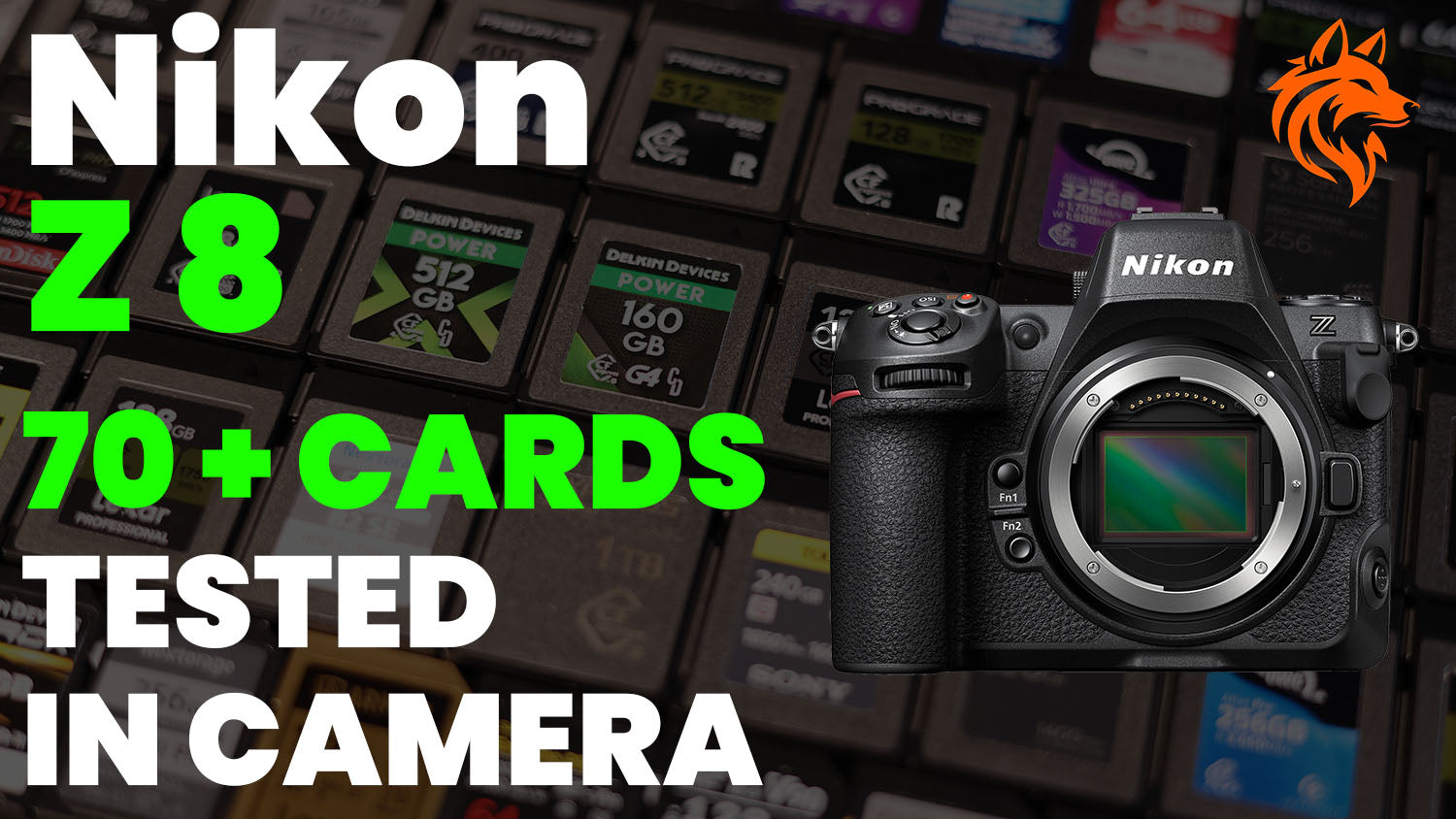
We test over 70 memory cards in the Nikon Z8 to see how they actually perform when used in-camera, rather than just relying on the manufacturer's maximum speed figures or speed testing software.
But first, in case you are unaware, the Nikon Z8 features two memory card slots. Slot one supports CFexpress Type B (2.0 and 4.0) cards as well as the older XQD cards, and slot two supports SD/SDHC/SDXC (UHS-II / UHS-I) cards.
CFexpress 4.0 cards will work because the standard is backwards compatible, but the Z8 can't take advantage of the faster 4.0 speeds in camera. Also, it appears that the majority of 4.0 cards don't perform as well as 2.0 cards in the Z8, which is interesting!
We have not tested any XQD memory cards because they are practically obsolete having been superseded by CFexpress Type B cards, they are also significantly slower than CFexpress Type B cards.
CFexpress Type B Memory Card Buffer Tests
Below you will find all of the CFexpress Type B cards that we have tested in the Z8 whilst shooting at 20 fps in RAW Lossless and RAW High Efficiency Star *.
When shooting in RAW lossless with our test file size of 52.4 MB the Z8 was writing to the cards at an average speed of around 750-850 MB/s. With RAW HE* this dropped to around 600-700 MB/s.
We have also included results when shooting at C120 fps, C60 fps, 15 fps and 10 fps for just a single CFexpress and SD card a little further down this article.
When you half press the Z8 shutter button you will see the number of shots remaining before the buffer is full, this typically shows 21 shots. However, this does not take into account the fact that images are being written to the card whilst shooting, so it's not very helpful and you can definitely capture more than this.
The buffer clearing time is the time taken for the green writing light to go out after the buffer is full and we stop shooting. It's not the time taken for the buffer remaining counter to go back to 21 as this is misleading, the card is still being written to even after it shows 21. If you start shooting again before the light is out the number of shots captured before the buffer is full again will be reduced.
Our results are only valid for the card capacities tested because write speeds often vary by capacity. The cards have been grouped by brand and performance.
| CFexpress Type B Card | Shots to Fill Buffer | Buffer Clearing Time | Video Rating | Manufacturer's Sustained Write Speed |
|---|---|---|---|---|
|
Delkin Devices POWER 4.0 (1 TB) |
76 (RAW) 703 (RAW HE*) |
~1.6s (RAW) ~1.6s (RAW HE*) |
NA | 1570 MB/s |
|
Delkin Devices BLACK 4.0 (512 GB) |
70 (RAW) 367 (RAW HE*) |
~1.7s (RAW) ~1.5s (RAW HE*) |
VPG400 | 2040 MB/s |
|
Delkin Devices BLACK 4.0 (1 TB) |
70 (RAW) 367 (RAW HE*) |
~1.7s (RAW) ~1.5s (RAW HE*) |
VPG400 | 2040 MB/s |
|
Delkin Devices POWER 4.0 (512 GB) |
67 (RAW) 367 (RAW HE*) |
~1.7s (RAW) ~1.6s (RAW HE*) |
NA | 820 MB/s |
|
Delkin Devices POWER G4 2.0 (160 GB) |
68 (RAW) 256 (RAW HE*) |
~1.7s (RAW) ~1.6s (RAW HE*) |
NA | 805 MB/s |
|
Lexar Professional GOLD 2.0 (512 GB) |
78 (RAW) 611 (RAW HE*) |
~1.5s (RAW) ~1.5s (RAW HE*) |
NA | 1000 MB/s |
|
Lexar Professional DIAMOND 2.0 (128 GB) |
78 (RAW) 575 (RAW HE*) |
~1.5s (RAW) ~1.4s (RAW HE*) |
VPG400 | 1600 MB/s |
|
Lexar Professional GOLD 4.0 (512 GB) |
70 (RAW) 451 (RAW HE*) |
~1.6s (RAW) ~1.6s (RAW HE*) |
NA | 3000 MB/s |
|
Lexar Professional DIAMOND 4.0 (128 GB) |
69 (RAW) 394 (RAW HE*) |
~1.5s (RAW) ~1.6s (RAW HE*) |
VPG400 | 3200 MB/s |
|
Lexar Professional GOLD 2.0 (128 GB) |
57 (RAW) 130 (RAW HE*) |
~2s (RAW) ~2s (RAW HE*) |
NA | 1000 MB/s |
|
Lexar Professional SILVER 4.0 (1 TB) |
74 (RAW) 473 (RAW HE*) |
~1.5s (RAW) ~1.6s (RAW HE*) |
NA | 2600 MB/s |
|
Lexar Professional SILVER 2.0 (512 GB) |
74 (RAW) 292 (RAW HE*) |
~1.5s (RAW) ~1.6s (RAW HE*) |
NA | 850 MB/s |
|
Lexar Professional SILVER 2.0 (256 GB) |
62 (RAW) 133 (RAW HE*) |
~3s (RAW) ~2.6s (RAW HE*) |
NA | 480 MB/s |
|
Lexar Professional SILVER 2.0 (128 GB) |
47 (RAW) 130 (RAW HE*) |
~3s (RAW) ~3s (RAW HE*) |
NA | 480 MB/s |
|
SanDisk PRO-CINEMA 2.0 (320 GB) |
80 (RAW) 609 (RAW HE*) |
~1.4s (RAW) ~1.4s (RAW HE*) |
NA | 1400 MB/s |
|
SanDisk PRO-CINEMA 2.0 (256 GB) |
66 (RAW) 373 (RAW HE*) |
~1.5s (RAW) ~1.6s (RAW HE*) |
VPG400 | NA |
|
SanDisk Extreme PRO 2.0 (512 GB) |
66 (RAW) 373 (RAW HE*) |
~1.5s (RAW) ~1.5s (RAW HE*) |
NA | NA |
|
ProGrade Digital Iridium 4.0 (400 GB) |
69 (RAW) 463 (RAW HE*) |
~1.5s (RAW) ~1.7s (RAW HE*) |
VPG400 | 850 MB/s |
|
ProGrade Digital Gold 4.0 (512 GB) |
68 (RAW) 487 (RAW HE*) |
~1.5s (RAW) ~1.7s (RAW HE*) |
NA | 850 MB/s |
|
ProGrade Digital Gold 4.0 (240 GB) |
58 (RAW) 121 (RAW HE*) |
~1.7s (RAW) ~1.5s (RAW HE*) |
NA | 700 MB/s |
|
ProGrade Digital Gold 2.0 (128 GB) Full Details & Price |
32 (RAW) 44 (RAW HE*) |
~10.5s (RAW) ~8s (RAW HE*) |
NA | 250 MB/s |
|
Nextorage NX-B2 PRO Series 4.0 (165 GB) |
75 (RAW) 670 (RAW HE*) |
~1.5s (RAW) ~1.4s (RAW HE*) |
VPG400 | 3400 MB/s |
|
Nextorage NX-B3 AE Series 4.0 (500 GB) |
67 (RAW) 383 (RAW HE*) |
~1.7s (RAW) ~1.5s (RAW HE*) |
VPG400 | 850 MB/s |
|
Nextorage NX-B3 SE Series 4.0 (512 GB) Full Details & Price |
67 (RAW) 383 (RAW HE*) |
~1.8s (RAW) ~1.6s (RAW HE*) |
NA | 850 MB/s |
|
Nextorage NX-B2 SE Series 2.0 (512 GB) Full Details & Price |
56 (RAW) 146 (RAW HE*) |
~2.2s (RAW) ~2s (RAW HE*) |
NA | 800 MB/s |
|
Sony TOUGH CEB-G 2.0 (128 GB) Full Details & Price |
54 (RAW) 105 (RAW HE*) |
~3.2s (RAW) ~2.7s (RAW HE*) |
NA | NA |
|
Sony TOUGH CEB-G 2.0 (240 GB) |
40 (RAW) 72 (RAW HE*) |
~3.6s (RAW) ~3.1s (RAW HE*) |
NA | NA |
|
Novachips Express 2.0 (1 TB) Full Details & Price |
80 (RAW) 600 (RAW HE*) |
~1.5s (RAW) ~1.4s (RAW HE*) |
NA | 1400 MB/s |
|
Novachips Express 4.0 (2 TB) Full Details & Price |
67 (RAW) 308 (RAW HE*) |
~1.7s (RAW) ~1.6s (RAW HE*) |
NA | 2700 MB/s |
|
Angelbird AV PRO SE 4.0 (512 GB) |
63 (RAW) 178 (RAW HE*) |
~1.9s (RAW) ~1.7s (RAW HE*) |
NA | 1050 MB/s |
|
OWC Atlas Ultra 2.0 (325 GB) Full Details & Price |
80 (RAW) 630 (RAW HE*) |
~1.5s (RAW) ~1.3s (RAW HE*) |
NA | 800 MB/s |
|
OWC Atlas Pro 4.0 (256 GB) |
70 (RAW) 475 (RAW HE*) |
~1.8s (RAW) ~1.7s (RAW HE*) |
NA | 800 MB/s |
|
Integral Studio Grade 4.0 (512 GB) Full Details & Price |
71 (RAW) 467 (RAW HE*) |
~2s (RAW) ~1.7s (RAW HE*) |
NA | 800 MB/s |
|
Exascend Essential Series 2.0 (512 GB) Full Details & Price |
78 (RAW) 598 (RAW HE*) |
~1.6s (RAW) ~1.4s (RAW HE*) |
NA | 1400 MB/s |
|
PerGear Master 4.0 (512 GB) Full Details & Price |
54 (RAW) 109 (RAW HE*) |
~2s (RAW) ~1.7s (RAW HE*) |
NA | 800 MB/s |
|
Sabrent Rocket CFX 2.0 (512 GB) Full Details & Price |
44 (RAW) 62 (RAW HE*) |
~4.5s (RAW) ~2.4s (RAW HE*) |
NA | 400 MB/s |


* Number of shots before filling the buffer with our test conditions. Image file sizes: RAW Lossless (52.4 MB), RAW HE* (33.3 MB).
CFexpress Type B Results Summary
I know there's a lot of data in the table above. So here is a quick summary that you might find more helpful.
Top 10 Cards (RAW Lossless)
Ranking by RAW Lossless shots to fill the buffer, the top 10 performers are:
-
- SanDisk PRO-CINEMA 2.0 (320 GB) – 80 shots, ~1.4 second buffer clearing time.
- OWC Atlas Ultra 2.0 (325 GB) – 80 shots, ~1.5 second buffer clearing time.
- Novachips Express 2.0 (1 TB) – 80 shots, ~1.5 second buffer clearing time.
- Lexar Professional DIAMOND 2.0 (128 GB) – 78 shots, ~1.5 second buffer clearing time.
- Lexar Professional GOLD 2.0 (512 GB) – 78 shots, ~1.5 second buffer clearing time.
- Exascend Essential Series 2.0 (512 GB) – 78 shots, ~1.6 second buffer clearing time.
- Delkin Devices POWER 4.0 (1 TB) – 76 shots, ~1.6 second buffer clearing time.
- Nextorage NX-B2 PRO Series 4.0 (165 GB) – 75 shots, ~1.5 second buffer clearing time.
- Lexar Professional SILVER 4.0 (1 TB) – 74 shots, ~1.5 second buffer clearing time.
- Lexar Professional SILVER 2.0 (512 GB) – 74 shots, ~1.5 second buffer clearing time.
Top 10 Cards (RAW HE*)
Ranking by RAW HE* shots to fill the buffer, the top 10 performers are:
-
- Delkin Devices POWER 4.0 (1 TB) – 703 shots, ~1.6 second buffer clearing time.
- Nextorage NX-B2 PRO Series 4.0 (165 GB) – 670 shots, ~1.4 second buffer clearing time.
- OWC Atlas Ultra 2.0 (325 GB) – 630 shots, ~1.3 second buffer clearing time.
- Lexar Professional GOLD 2.0 (512 GB) – 611 shots, ~1.5 second buffer clearing time.
- SanDisk PRO-CINEMA 2.0 (320 GB) – 609 shots, ~1.4 second buffer clearing time.
- Novachips Express 2.0 (1 TB) – 600 shots, ~1.4 second buffer clearing time.
- Exascend Essential Series 2.0 (512 GB) – 598 shots, ~1.4 second buffer clearing time.
- Lexar Professional DIAMOND 2.0 (128 GB) – 575 shots, ~1.4 second buffer clearing time.
- ProGrade Digital Gold 4.0 (512 GB) – 487 shots, ~1.7 second buffer clearing time.
- OWC Atlas Pro 4.0 (256 GB) – 475 shots, ~1.7 second buffer clearing time.
UHS-II (V90) SD Memory Card Buffer Tests
Below you will find all of the UHS-II V90 cards that we have tested in the Nikon Z8 whilst shooting at 20 fps in RAW Lossless and RAW High Efficiency *.
Our results are only valid for the card capacities tested because write speeds often vary by capacity. The cards have been grouped by brand and performance.
| UHS-II SD Memory Card | Shots to Fill Buffer | Buffer Clearing Time | Video Rating | Manufacturer's Max Write Speed |
|---|---|---|---|---|
|
Nextorage NX-F2 PRO (256 GB) |
34 (RAW) 49 (RAW HE*) |
~6s (RAW) ~5.5s (RAW HE*) |
V90 | 299 MB/s |
|
Nextorage NX-F2 PRO (128 GB) |
34 (RAW) 49 (RAW HE*) |
~6s (RAW) ~5.5s (RAW HE*) |
V90 | 299 MB/s |
|
SanDisk Extreme Pro (128 GB) New |
34 (RAW) 49 (RAW HE*) |
~6s (RAW) ~5.5s (RAW HE*) |
V90 | 304 MB/s |
|
SanDisk Extreme Pro (64 GB) |
34 (RAW) 49 (RAW HE*) |
~6s (RAW) ~5.5s (RAW HE*) |
V90 | 300 MB/s |
|
Sony SF-G Tough (64 GB) |
34 (RAW) 49 (RAW HE*) |
~6s (RAW) ~5.5s (RAW HE*) |
V90 | 299 MB/s |
|
Delkin Devices BLACK (64 GB) |
34 (RAW) 49 (RAW HE*) |
~6s (RAW) 5.5s (RAW HE*) |
V90 | 250 MB/s |
|
Delkin Devices BLACK (128 GB) |
34 (RAW) 49 (RAW HE*) |
~6s (RAW) ~5.5s (RAW HE*) |
V90 | 250 MB/s |
|
Delkin Devices POWER (64 GB) |
34 (RAW) 48 (RAW HE*) |
~6s (RAW) ~5.5s (RAW HE*) |
V90 | 250 MB/s |
|
Lexar Professional 2000X (64 GB) |
34 (RAW) 48 (RAW HE*) |
~6.5s (RAW) ~6s (RAW HE*) |
V90 | 260 MB/s |
|
Lexar Professional 2000X (256 GB) |
34 (RAW) 48 (RAW HE*) |
~6.5s (RAW) ~6s (RAW HE*) |
V90 | 260 MB/s |
|
ProGrade Digital V90 Iridium (128 GB) Full Details & Price |
34 (RAW) 48 (RAW HE*) |
~6s (RAW) ~5.5s (RAW HE*) |
V90 | 200 MB/s |
|
ProGrade Digital V90 300R (64 GB) Full Details & Price |
34 (RAW) 48 (RAW HE*) |
~6.5s (RAW) ~6s (RAW HE*) |
V90 | 250 MB/s |
|
Kingston Canvas React Plus (64 GB) |
34 (RAW) 48 (RAW HE*) |
~6.5s (RAW) ~6s (RAW HE*) |
V90 | 260 MB/s |
|
Integral UltimaPro X2 (64 GB) Full Details & Price |
34 (RAW) 48 (RAW HE*) |
~6.5s (RAW) ~6s (RAW HE*) |
V90 | 280 MB/s |
|
OWC Atlas Ultra (128 GB) |
34 (RAW) 48 (RAW HE*) |
~6.5s (RAW) ~6s (RAW HE*) |
V90 | 250 MB/s |
|
PNY EliteX-PRO 90 (64 GB) Full Details & Price |
34 (RAW) 48 (RAW HE*) |
~6.5s (RAW) ~6s (RAW HE*) |
V90 | 280 MB/s |
|
Ritzgear Video Pro (64 GB) Full Details & Price |
34 (RAW) 48 (RAW HE*) |
~6.5s (RAW) ~6s (RAW HE*) |
V90 | 250 MB/s |
|
Transcend SD 700S (64 GB) Full Details & Price |
34 (RAW) 48 (RAW HE*) |
~6.5s (RAW) ~6s (RAW HE*) |
V90 | 180 MB/s |
|
Angelbird AV Pro Mk 2 V90 (128 GB) |
34 (RAW) 48 (RAW HE*) |
~6.5s (RAW) ~6s (RAW HE*) |
V90 | 280 MB/s |
|
Exascend Catalyst (128 GB) Full Details & Price |
30 (RAW) 40 (RAW HE*) |
~17s (RAW) ~16s (RAW HE*) |
V90 | 280 MB/s |


* Number of shots before filling the buffer with our test conditions. Image file sizes: RAW Lossless (52.4 MB), RAW HE* (33.3 MB).
UHS-II (V90) SD Results Summary
Now a short summary of the V90 SD UHS-II cards.
Top 10 Cards (RAW Lossless)
-
- Nextorage NX-F2 PRO (256 GB) – 34 shots, ~6 second buffer clearing time.
- Nextorage NX-F2 PRO (128 GB) – 34 shots, ~6 second buffer clearing time.
- SanDisk Extreme Pro (128 GB) New – 34 shots, ~6 second buffer clearing time.
- SanDisk Extreme Pro (64 GB) – 34 shots, ~6 second buffer clearing time.
- Sony SF-G Tough (64 GB) – 34 shots, ~6 second buffer clearing time.
- Delkin Devices BLACK (64 GB) – 34 shots, ~6 second buffer clearing time.
- Delkin Devices BLACK (128 GB) – 34 shots, ~6 second buffer clearing time.
- Delkin Devices POWER (64 GB) – 34 shots, ~6 second buffer clearing time.
- ProGrade Digital V90 Iridium (128 GB) – 34 shots, ~6 second buffer clearing time.
- Lexar Professional 2000X (64 GB) – 34 shots, ~6.5 second buffer clearing time.
Top 10 Cards (RAW HE*)
-
- Nextorage NX-F2 PRO (256 GB) – 49 shots, ~5.5 second buffer clearing time.
- Nextorage NX-F2 PRO (128 GB) – 49 shots, ~5.5 second buffer clearing time.
- SanDisk Extreme Pro (128 GB) New – 49 shots, ~5.5 second buffer clearing time.
- SanDisk Extreme Pro (64 GB) – 49 shots, ~5.5 second buffer clearing time.
- Sony SF-G Tough (64 GB) – 49 shots, ~5.5 second buffer clearing time.
- Delkin Devices BLACK (64 GB) – 49 shots, ~5.5 second buffer clearing time.
- Delkin Devices BLACK (128 GB) – 49 shots, ~5.5 second buffer clearing time.
- Delkin Devices POWER (64 GB) – 48 shots, ~5.5 second buffer clearing time.
- ProGrade Digital V90 Iridium (128 GB) – 48 shots, ~5.5 second buffer clearing time.
- Lexar Professional 2000X (64 GB) – 48 shots, ~6 second buffer clearing time.
Slowest Card (RAW Lossless)
- Exascend Catalyst (128 GB) – 30 shots, ~17 second buffer clearing time.
Unlike CFexpress cards, where there are measurable differences between models, almost every V90 UHS-II SD card tested delivered essentially identical performance in the Nikon Z8. The only exception was the Exascend Catalyst (128 GB) which underperforms badly compared to the other V90 cards, suggesting some compatibility issues.
UHS-II (V60) SD Memory Card Buffer Tests
Below you will find all of the UHS-II V60 cards that we have tested in the Nikon Z8 whilst shooting at 20 fps in RAW Lossless.
The Z8 was on hire and we unfortunately ran out of time to test RAW HE* with the V60 cards, but I expect not many of you buy the Z8 to use V60 SD cards.
Our results are only valid for the card capacities tested because write speeds often vary by capacity. The cards have been grouped by brand and performance.
| UHS-II SD Memory Card | Shots to Fill Buffer | Buffer Clearing Time | Video Rating | Manufacturer's Max Write Speed |
|---|---|---|---|---|
|
Lexar ARMOR Gold (128 GB) Full Details & Price |
33 | ~8s | V60 | 210 MB/s |
|
Lexar ARMOR Silver Pro (128 GB) Full Details & Price |
32 | ~10s | V60 | 120 MB/s |
|
Lexar Professional Silver Pro (128 GB) Full Details & Price |
30 | ~13s | V60 | 120 MB/s |
|
Lexar Professional 1800X (64 GB) |
31 | ~14s | V60 | 210 MB/s |
|
Lexar Professional 1667X (64 GB) |
30 | ~18s | V60 | 120 MB/s |
|
Nextorage NX-F2 SE (512 GB) |
32 | ~9s | V60 | 170 MB/s |
|
Sony SF-E (128 GB) |
33 | ~8s | V60 | 100 MB/s |
|
Sony SF-M Tough (128 GB) |
30 | ~10s | V60 | 150 MB/s |
|
Sony SF-M (64 GB) Full Details & Price |
30 | ~16s | V60 | 150 MB/s |
|
Sony SF-E (64 GB) |
30 | ~20s | V30 | 45 MB/s |
|
ProGrade V60 (128 GB) Full Details & Price |
30 | ~17s | V60 | 130 MB/s |
|
Delkin Devices PRIME (128 GB) Full Details & Price |
30 (RAW) |
~15s (RAW) |
V60 | 150 MB/s |
|
Angelbird AV Pro MK2 V60 (64 GB) |
30 | ~15s | V60 | 160 MB/s |
|
SanDisk Extreme Pro (64 GB) Full Details & Price |
30 | ~15s | V60 | 100 MB/s |
|
SanDisk Creator (128 GB) Full Details & Price |
30 | ~15s | V60 | 100 MB/s |


* Number of shots before filling the buffer with our test conditions. Image file sizes: RAW Lossless (52.4 MB), RAW HE* (33.3 MB).
UHS-II (V60) SD Results Summary
Unlike the V90 SD cards, there is much more of a performance variance when it comes to V60 cards.
Top 10 Cards (RAW Lossless)
-
- Lexar ARMOR Gold (128 GB) – 33 shots, ~8 second buffer clearing time.
- Sony SF-E (128 GB) – 33 shots, ~8 second buffer clearing time.
- Nextorage NX-F2 SE (512 GB) – 32 shots, ~9 second buffer clearing time.
- Lexar ARMOR Silver Pro (128 GB) – 32 shots, ~10 second buffer clearing time.
- Lexar Professional 1800X (64 GB) – 31 shots, ~14 second buffer clearing time.
- Lexar Professional Silver Pro (128 GB) – 30 shots, ~13 second buffer clearing time.
- Sony SF-M Tough (128 GB) – 30 shots, ~10 second buffer clearing time.
- Delkin Devices PRIME (128 GB) – 30 shots, ~15 second buffer clearing time.
- Angelbird AV Pro MK2 V60 (64 GB) – 30 shots, ~15 second buffer clearing time.
- SanDisk Extreme Pro (64 GB) – 30 shots, ~15 second buffer clearing time.
If you're choosing a V60 SD card for the Nikon Z8, pay close attention to measured buffer clearing times rather than advertised write speeds. While burst depth varies by only three frames across the test, the time it takes to recover ranges from 8 to 20 seconds.
All File Types 20 FPS (Continuous High Speed) Buffer Tests
We don’t test every single file type for every single card because this would drive us nuts.
But if you are curious, here are the approximate figures for all file types shooting at 20 FPS with the Delkin Devices POWER 4.0 (512 GB) CFexpress Type B card and the Delkin Devices Power UHS-II V90 (64 GB) SD card.
| File Type | CFexpress Shots to Fill Buffer | CFexpress Buffer Clearing Time in Seconds | SD Shots to Fill Buffer | SD Buffer Clearing Time in Seconds |
|---|---|---|---|---|
| RAW Lossless (52.4 MB) | 67 | ~1.7s | 34 | ~6.5s |
| RAW HE* (33.3 MB) | 367 | ~1.6s | 48 | ~5.5s |
| RAW HE (21.9 MB) | 1000+ | ~1s | 73 | ~4.5s |
| JPEG Fine L (24.1 MB) | 1000+ | ~1s | 53 | ~5s |
| HEIF Fine L (7.8 MB) | 123 | ~1.6s | 93 | ~2s |
All File Types 15 FPS (Continuous High Speed) Buffer Tests
Here are the approximate figures for all file types shooting at 15 FPS with the Delkin Devices POWER 4.0 (512 GB) CFexpress Typer B card and the Delkin Devices Power UHS-II V90 (64 GB) SD card.
| File Type | CFexpress Shots to Fill Buffer | CFexpress Buffer Clearing Time in Seconds | SD Shots to Fill Buffer | SD Buffer Clearing Time in Seconds |
|---|---|---|---|---|
| RAW Lossless (52.4 MB) | 454 | ~2s | 34 | ~6.5s |
| RAW HE* (33.3 MB) | 1000+ | ~1s | 54 | ~5.5s |
| RAW HE (21.9 MB) | 1000+ | ~1s | 94 | ~4s |
| JPEG Fine L (24.1 MB) | 1000+ | ~1s | 68 | ~5s |
| HEIF Fine L (7.8 MB) | 1000+ | ~1s | 1000+ | ~1s |
All File Types 10 FPS (Continuous High Speed) Buffer Tests
Here are the approximate figures for all file types shooting at 10 FPS with the Delkin Devices POWER 4.0 (512 GB) CFexpress Typer B card and the Delkin Devices Power UHS-II V90 (64 GB) SD card.
| File Type | CFexpress Shots to Fill Buffer | CFexpress Buffer Clearing Time in Seconds | SD Shots to Fill Buffer | SD Buffer Clearing Time in Seconds |
|---|---|---|---|---|
| RAW Lossless (52.4 MB) | 1000+ | ~1s | 43 | ~6.5s |
| RAW HE* (33.3 MB) | 1000+ | ~1s | 88 | ~5.5s |
| RAW HE (21.9 MB) | 1000+ | ~1s | 1000+ | ~3s |
| JPEG Fine L (24.1 MB) | 1000+ | ~1s | 197 | ~5s |
| HEIF Fine L (7.8 MB) | 1000+ | ~1s | 1000+ | ~1s |
C120 FPS Buffer Tests
Now the figures for shooting at 120 FPS. Shooting in C120 is only possible with JPEG Fine Small.
| File Type | CFexpress Shots to Fill Buffer | CFexpress Buffer Clearing Time in Seconds | SD Shots to Fill Buffer | SD Buffer Clearing Time in Seconds |
|---|---|---|---|---|
| JPEG Fine Small (4.4 MB) | 734 | ~17s | 658 | ~18s |
C60 FPS Buffer Tests
Now the figures for shooting at 60 FPS. Shooting in 60 is only possible with [DX (24×16)] JPEG Fine Large.
| File Type | CFexpress Shots to Fill Buffer | CFexpress Buffer Clearing Time in Seconds | SD Shots to Fill Buffer | SD Buffer Clearing Time in Seconds |
|---|---|---|---|---|
| JPEG Fine Large (11 MB) | 480 | ~9s | 339 | ~12s |
Dual Card Recording (Backup / Raw Primary JPEG Secondary)
If you setup the Z8 to record to an SD card at the same time as recording to the CFexpress card then the slower SD card becomes a bottleneck.
So effectively the number of shots you can capture before filling the buffer is reduced and the time to clear it increases.
Shooting in backup mode where the same file types are written to both cards is the slowest option here.
If you select RAW images to be recorded to the primary CFexpress card and JPEG images to the secondary SD card, then it's a little faster due to the smaller JPEG file, but still not as fast as just shooting to a CFexpress card.
Here are some examples:
- RAW Lossless + JPEG L (backup) at 20 fps captures 29 shots and takes 9 seconds to clear
- RAW Lossless + JPEG L (split) at 20 fps captures 27 shots and takes 5 seconds to clear
- RAW HE* + JPEG L (backup) at 20 fps captures 30 shots and takes 10 seconds to clear
- RAW HE* + JPEG L (split) at 20 fps captures 33 shots and takes 5 seconds to clear
How Many Images Fit on a Card?
The number of images that will fit on a single memory card when shooting with the Z8 will depend on the file type that you are recording in and the capacity of the card that you are using.
The following values are approximate and will vary with the scene being shot, but they should give you a good idea as to what size memory card is right for you.
| File Type | 64 GB | 128 GB | 256 GB | 512 GB |
|---|---|---|---|---|
| RAW Lossless | 715 | 1430 | 2860 | 5720 |
| RAW HE* | 1600 | 3200 | 6400 | 12800 |
| RAW HE | 2300 | 4600 | 9200 | 18400 |
| JPEG Fine L | 1500 | 3000 | 6000 | 12000 |
| HEIF Fine L | 1500 | 3000 | 6000 | 12000 |
About Our Tests
All of our in-camera tests were carried out with the Nikon Z8 and firmware 3.10.
The figures presented here are based on our test conditions.
If you are testing this yourself, you will most likely see slightly different results because a different scene will generate different file sizes.
Even when the buffer fills you can continue shooting with the Z8 but the frame rate drops significantly. We don't test for this because it starts to get a little tedious.
Plus if you shoot in HE* which would be our recommendation for continuous shooting, then you should never really hit the buffer with a fast CFexpress card unless you enjoy shooting 20+ second bursts at 20 fps.
Our Recommended Cards & Readers
Based on all of our in-camera tests, one conclusion stands out with regards to the CFexpress cards: real-world performance matters far more than the specifications printed on the label.
This appears to apply more to the Z8 than any other camera we have tested. There was little correlation between the advertised write speeds and how the CFexpress cards actually performed in the Nikon Z8. However, with the V90 SD cards almost every card delivered virtually identical results.
Therefore, if you base your purchase decision on the fastest card label speeds you will be throwing money away.
The image type and frame rate selected will have a large influence on burst performance and ultimately your choice of card.
For the majority of action photographers RAW HE* will be the sensible choice, offering very similar image quality to RAW lossless but much larger bursts before filling the buffer at 20 fps.
If you are happy to shoot at 15 fps then you'll be able to capture even more images before hitting the buffer. In our tests the Delkin Devices POWER 4.0 (512 GB) captured 454 RAW lossless images before hitting the buffer, for other files types over 1000 images could be captured.
If 10 fps is sufficient then the Delkin Devices POWER 4.0 (512 GB) captures over 1000 images in every file type including RAW lossless.
You might be curious why some CFexpress cards cost significantly more than other cards, despite not really offering any in-camera benefits in the Z8.
The price often comes down to the type of NAND memory being used. The majority of cards here are using 3D TLC NAND memory. However, some cards use pSLC NAND memory and these are typically the most expensive to buy.
pSLC based cards offer increased performance, durability, better heat management, and superior temperature tolerance over 3D TLC NAND cards. They also often feature longer warranties.
However, not all manufacturers state the type of NAND memory used in their cards. We do know that the following cards are using pSLC NAND memory.
- Delkin Devices Black Series CFexpress 4.0 Type B VPG 400
- Nextorage NX-B2 PRO Series CFexpress 4.0 Type B
- Lexar Professional DIAMOND Series 4.0 Type B
- Novachips Extreme CFexpress Series 4.0 Type B
For photographers there appears to be little performance benefit to using a pSLC based card in the Z8, but this could change if you shoot in very hot environments.
We don't really focus much on testing cards for video, but if you want to shoot in N-RAW 12-bit (NEV) or ProRes RAW HQ 12-bit (MOV) we would recommend a VPG 400 rated card for guaranteed performance.
As for card readers, our advice is to purchase the same brand of reader as your cards to avoid any compatibility issues. Most readers will work fine with different cards, but sometimes problems can arise.
We really hope that you have found this article to be helpful. If you have any questions, please do drop them in the comments below.